ALFRED AI

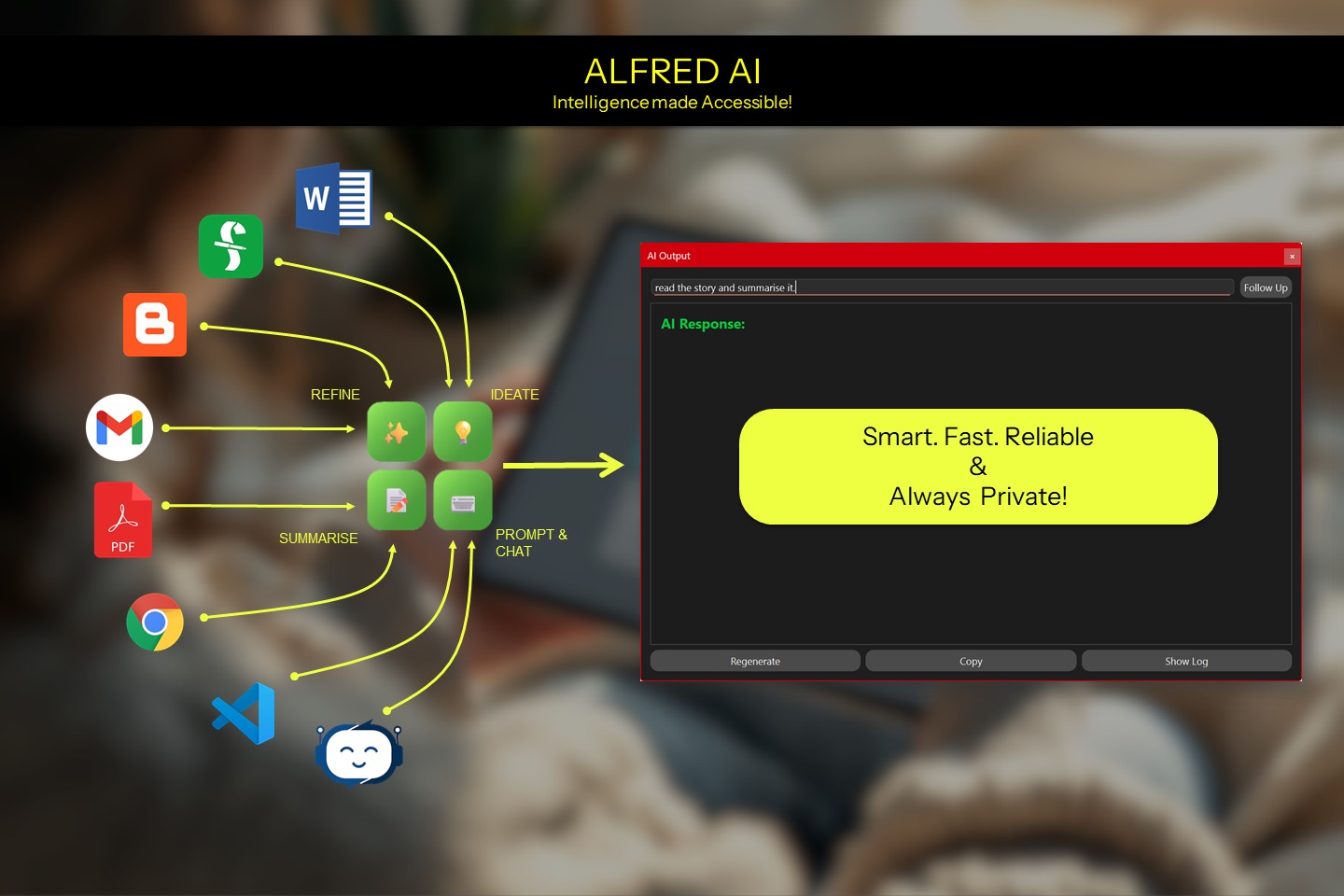
Supercharge your workflows with a smart assistant that works entirely on your device— no cloud, no compromise.


SIMPLE. PRIVATE. LOCAL FIRST AI ASSITANT.
SETUP INSTRUCTIONS

Alfred main
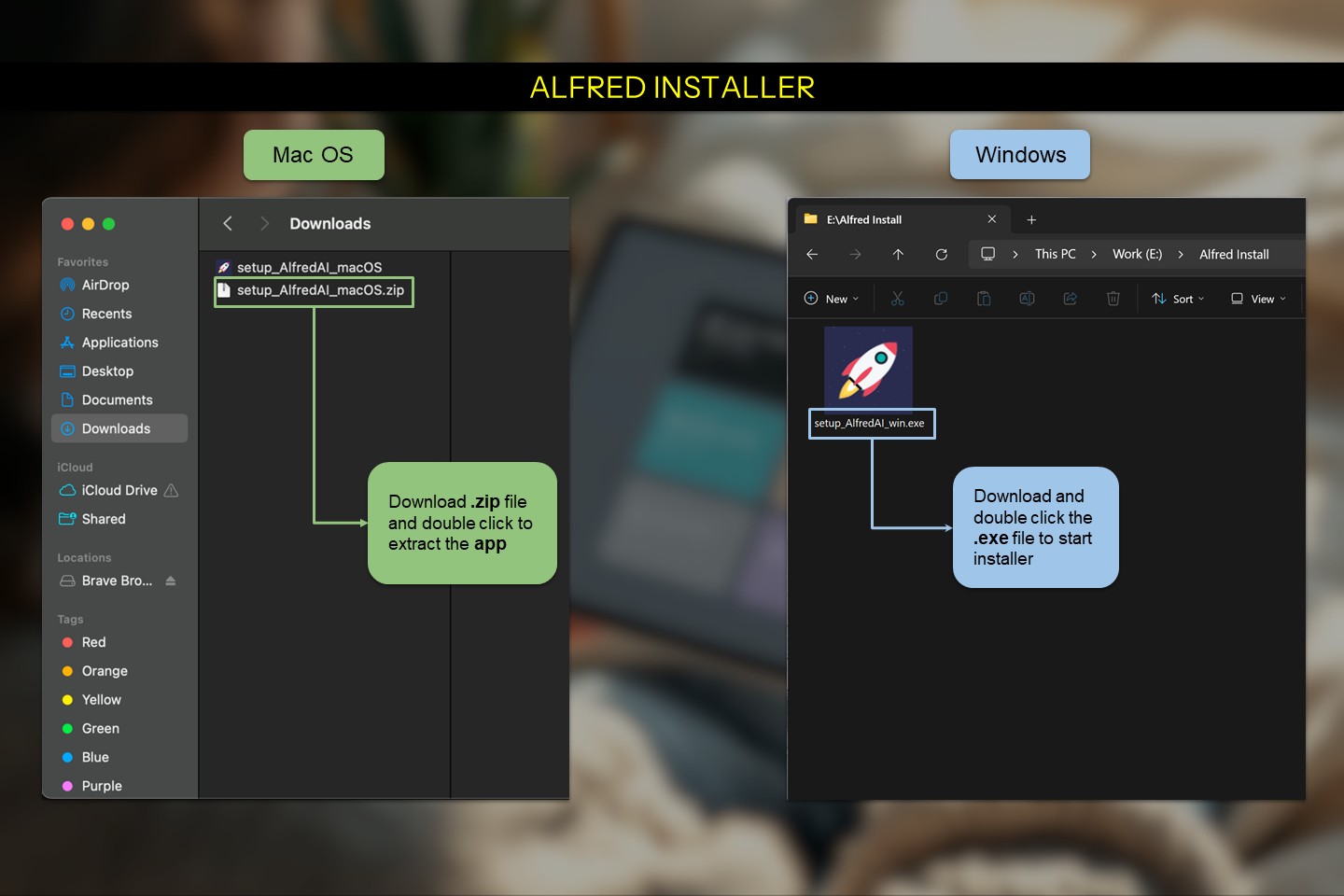
Installer download
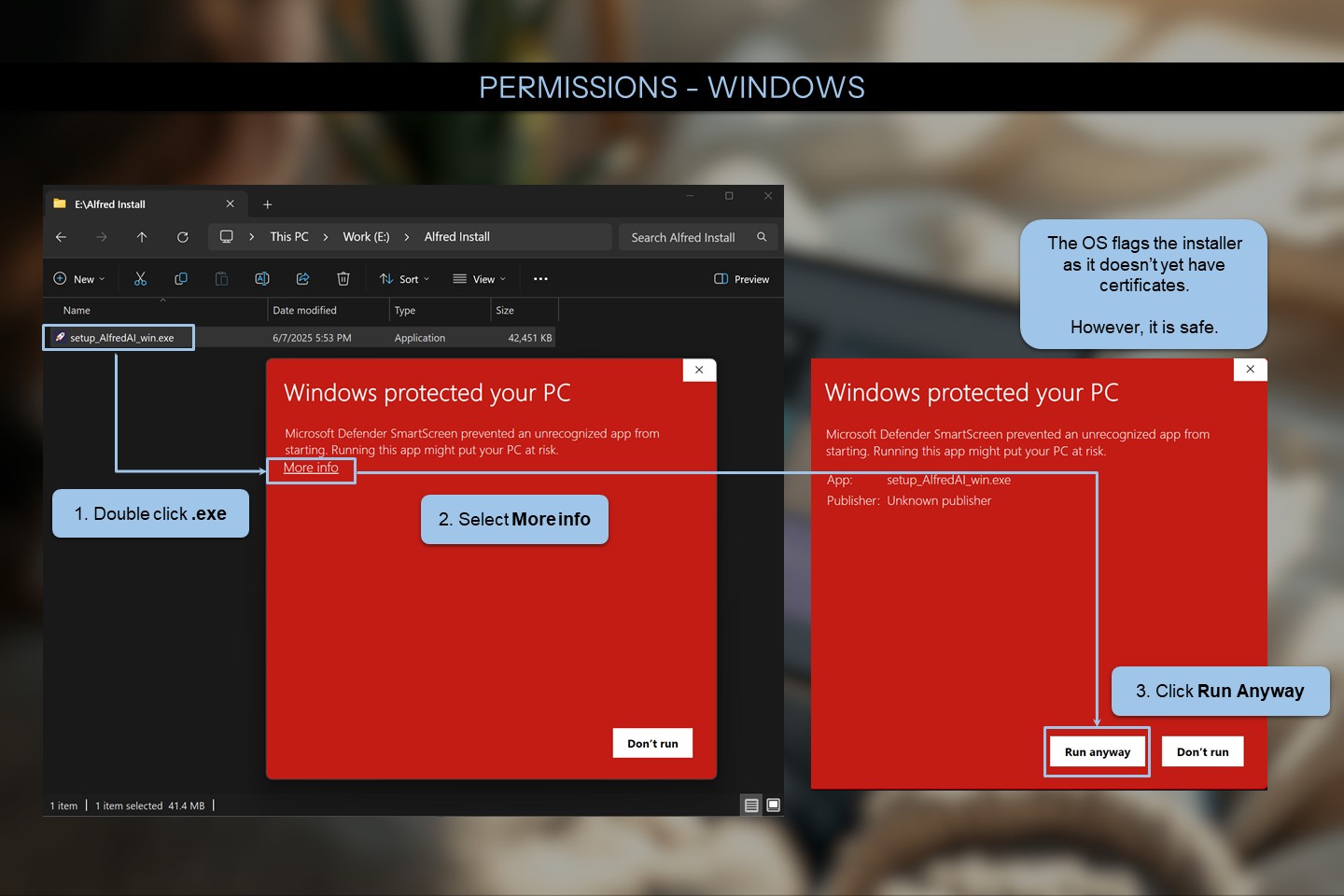
Windows Permissions
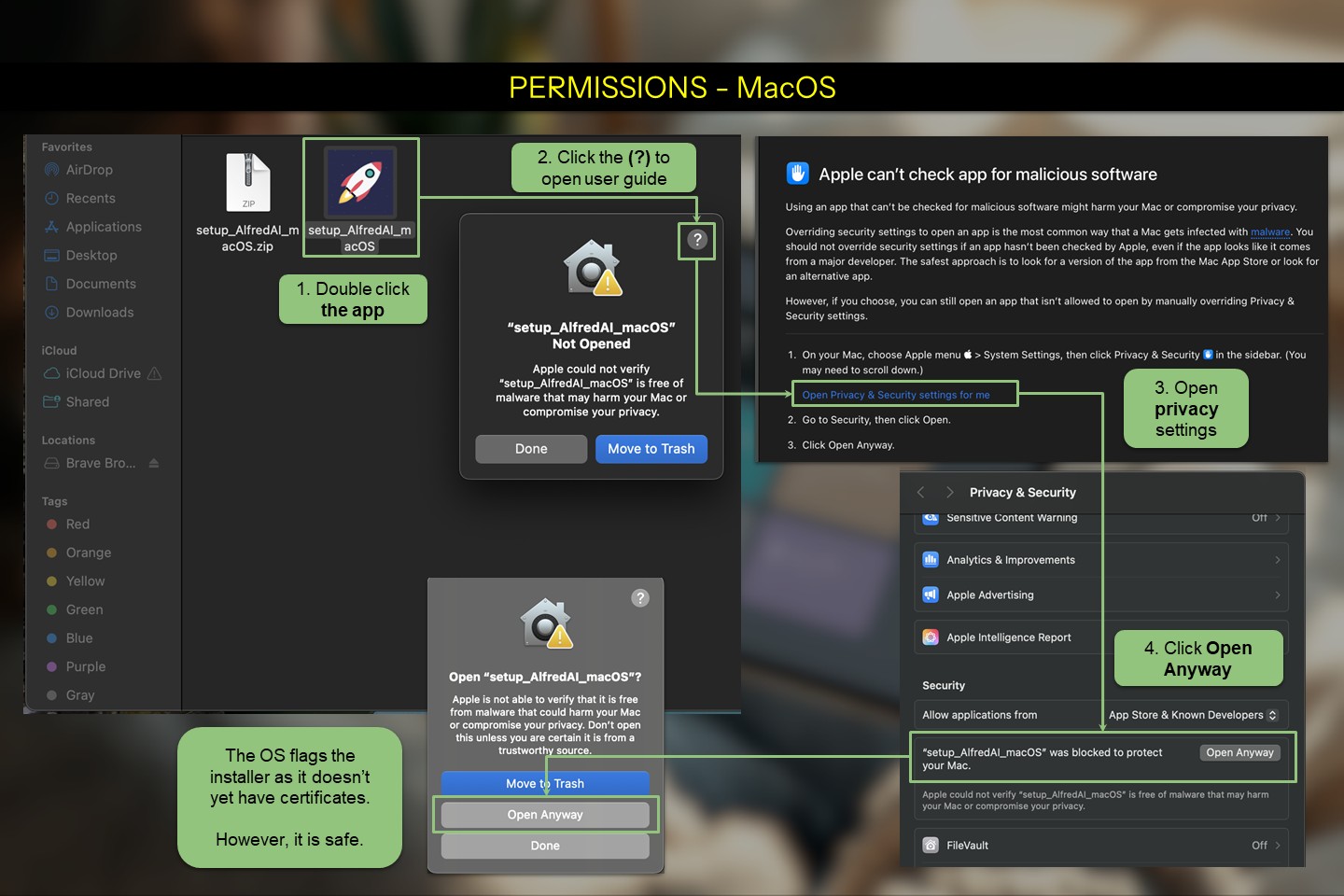
MacOS Permissions
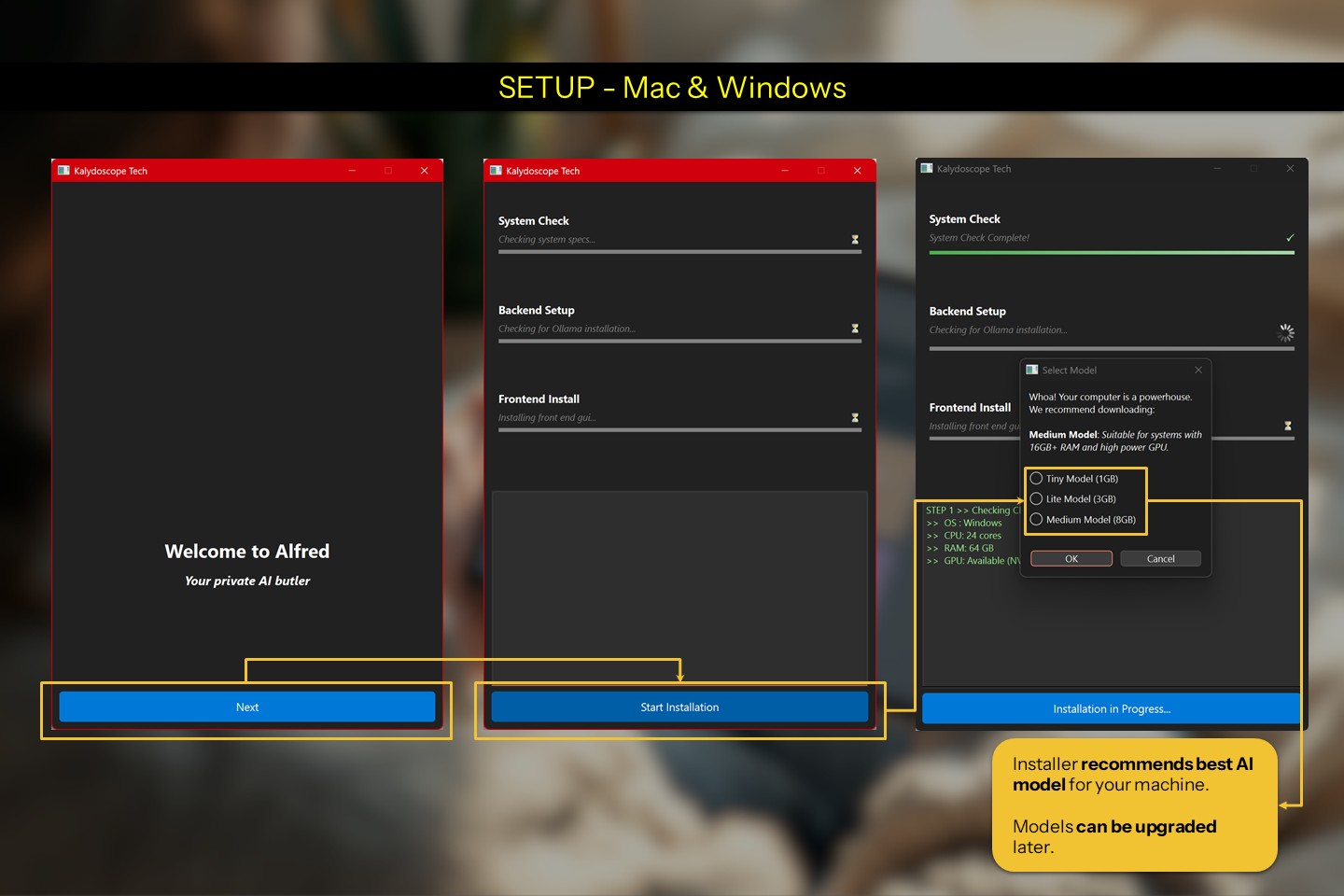
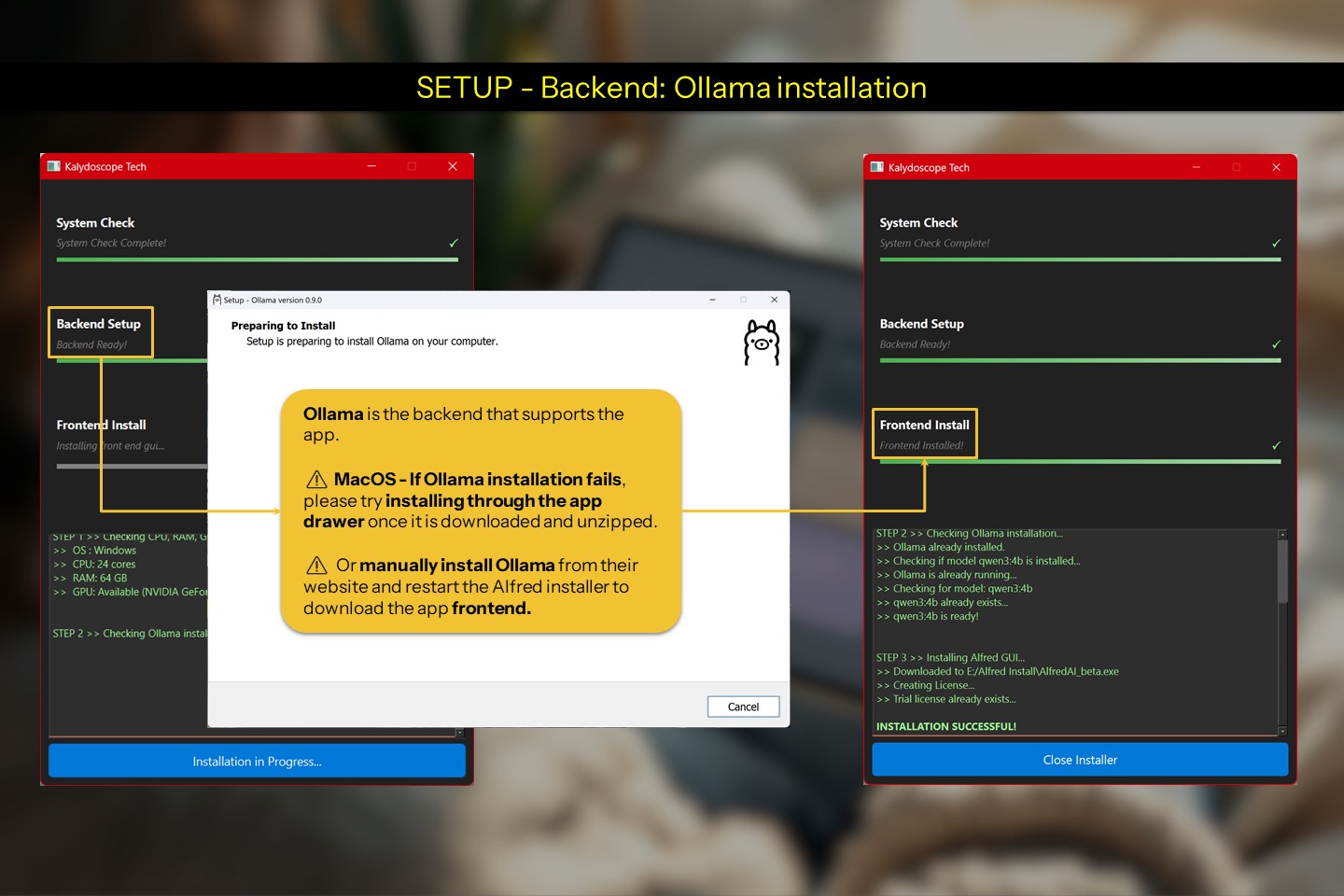
Installer running
Installer Backend
Front end gui installed.
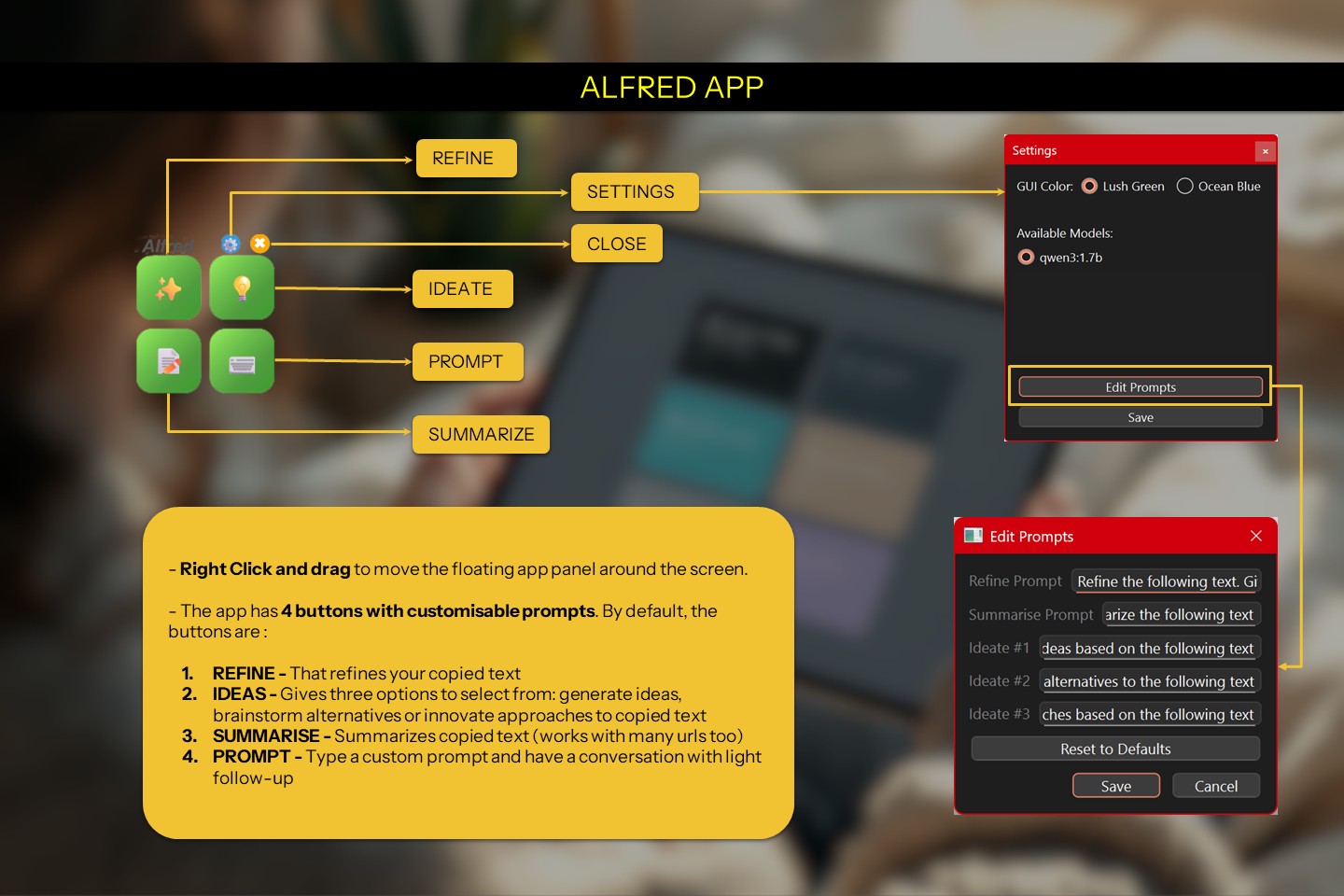
Alfred App explanation
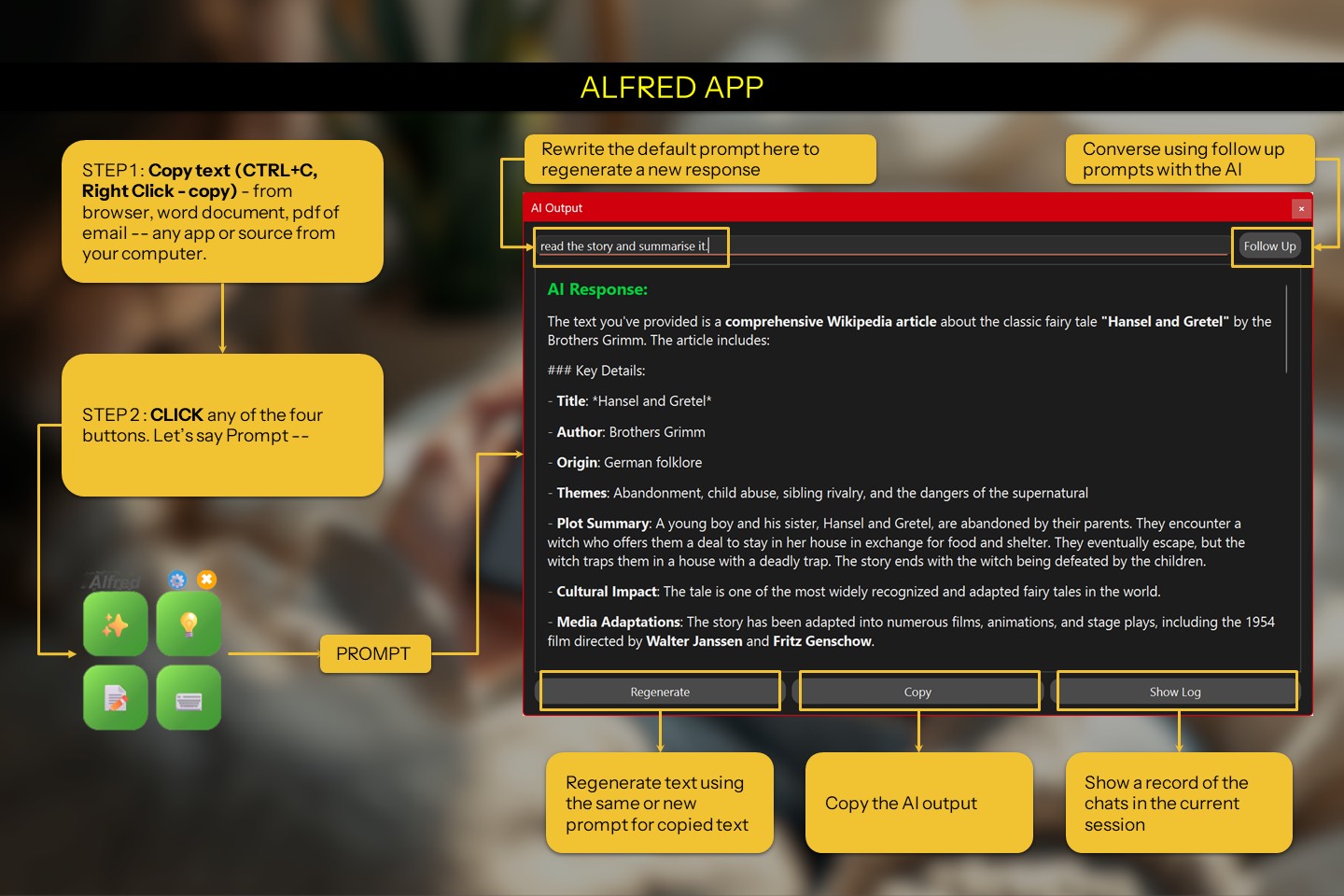
Alfred in action

FAQ

Why Alfred?

Because Batman trusts Alfred. And Batman doesn't trust anyone!

But seriously... Aflred because -

  • Smart & Flexible – Custom prompts, follow-ups, and summaries that fit your style.
  • Truly Private – Everything runs locally. Your data never leaves your machine.
  • Your Models, Your Way – Works with Ollama + models like Qwen/ Gemma
  • Designed for Creators – Writers, coders, thinkers — Alfred is your new copilot.
How do I get started?

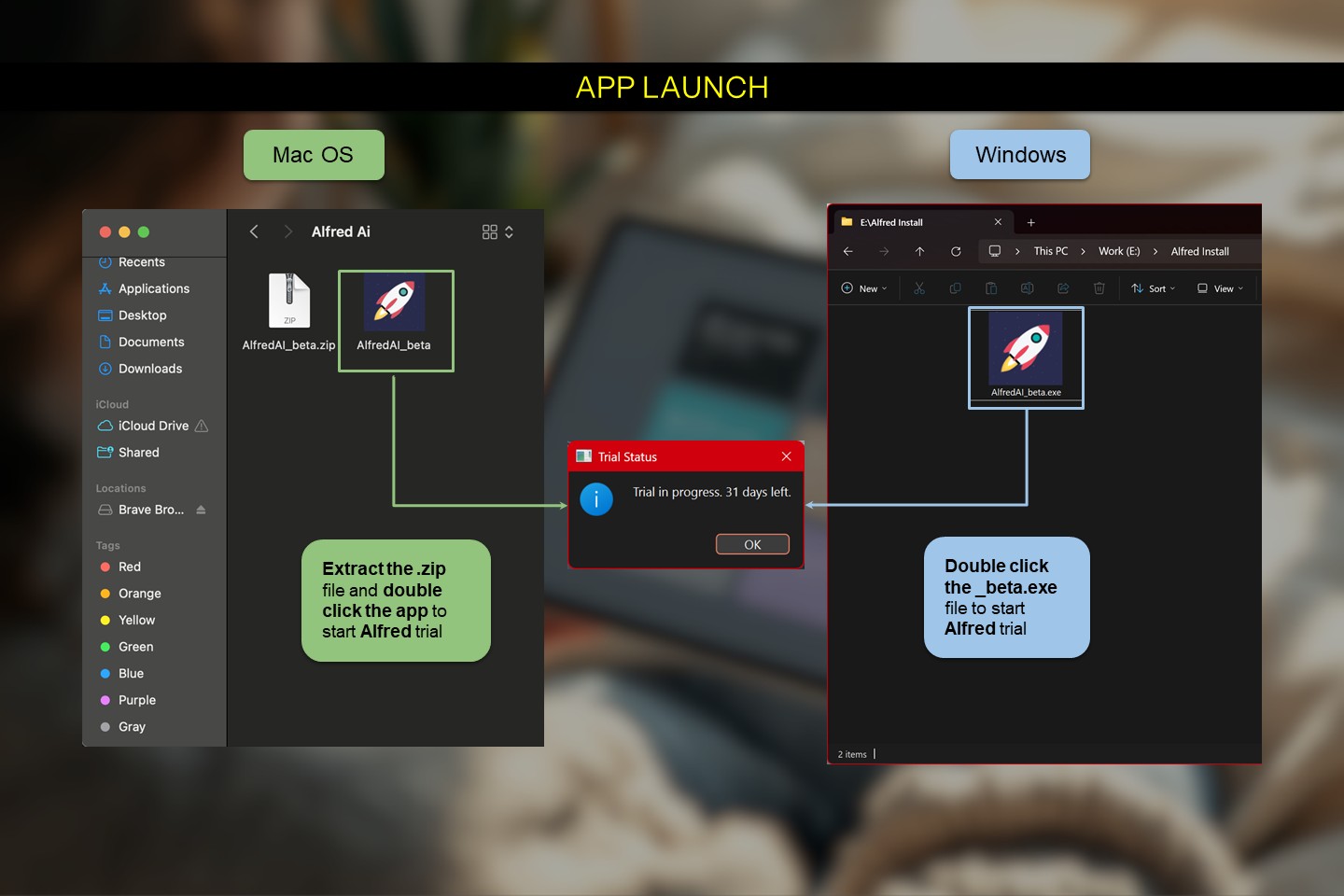
Just hit download, open the file, and follow the prompts.

⚠️ Your OS might flag the app since it’s still in beta. No worries — it’s easy to bypass and completely safe.

That simple?

Yes. Just COPY and CLICK.

  • Copy text from anywhere — browser, Word, PDF readers, etc.
  • Click one of the floating buttons to act: refine, ideate, summarize, or chat.

Use right-click + drag to reposition the tool.
You can fine-tune prompts and select models in Settings.

Is this goodbye ChatGPT?

Yes and No.

  • ChatGPT is an online chat-first tool — great for conversations, but it stores  everything: your questions, answers, ideas, even your IP.
  • ALFRED is an offline task-first tool — it runs privately and is built for fast, focused writing tasks with optional light-context follow-up.

You can still use chatGPT when browsing. And if there's something you truly value,  Alfred is at your service.

Addtional Resources

Manual download Ollama - https://ollama.com/download